


How to Download CBSE APAAR ID Card on DigiLocker – Step-by-Step Guide
The Central Board of Secondary Education (CBSE) has implemented the APAAR (Automated Permanent Academic Account Registry) ID Card for students in alignment with the National Education Policy, 2020, for a Digital India. Candidates can download the CBSE APAAR ID card on DigiLocker from the official website at digilocker.gov.in. They can integrate their academic records with the DigiLocker ecosystem, which allows them to store and access their exam results, achievements, participation activities, and learning outcomes like skill training, sports, and Olympiads.
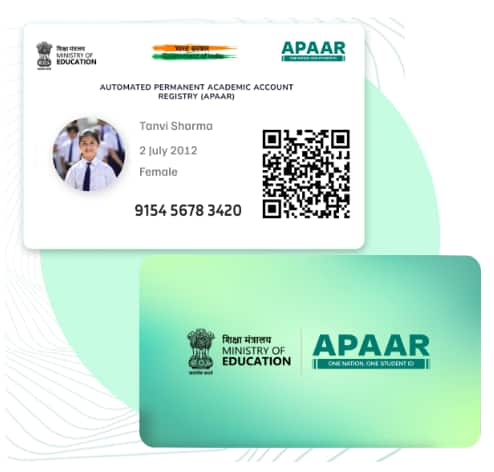
The CBSE APAAR ID is a unique 12-digit identifier designed for students to create a unified and strong academic and extracurricular record system on a digital platform. The APAAR ID ensures accessibility and continuity throughout a student’s educational journey. Read the article to learn more about how to download the CBSE APAAR ID Card on DigiLocker.
How to Download the CBSE APAAR ID on DigiLocker?
Check out the steps mentioned below to learn more about how to download the CBSE APAAR ID card on DigiLocker.
Step 1: Register - You need to register for the CBSE APAAR ID through the DigiLocker.
Step 2: Access DigiLocker - Once the registration is done on the DigiLocker account, log in to the APAAR ID using your credentials.
Step 3: Search APAAR ID Card - On the DigiLocker Dashboard, search for the “CBSE APAAR ID” or “Academic Bank of Credits” words.
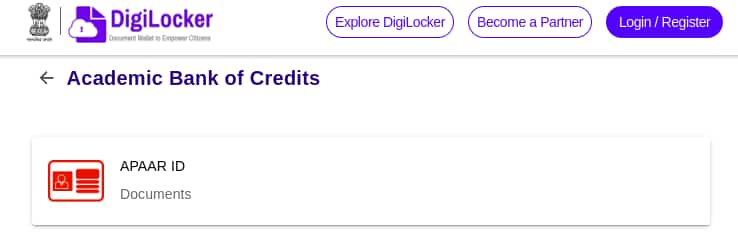
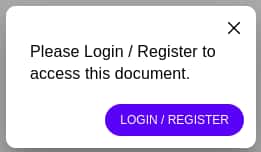
Step 4: Login - Once you find the APAAR ID, click on the result shown. Now, click on the “Login/Register” option.
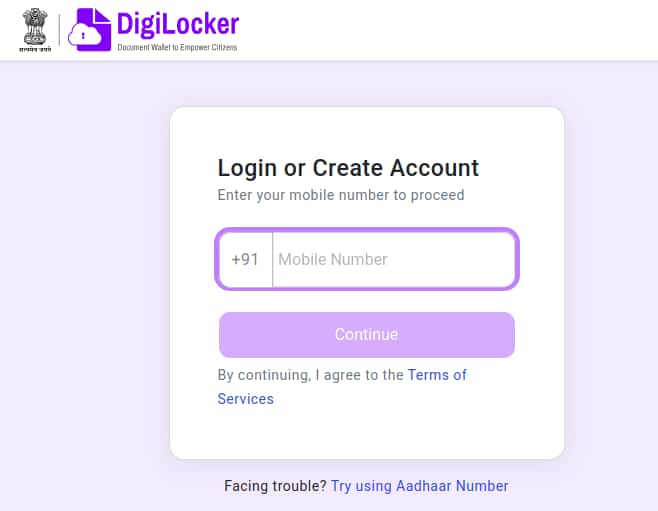
Step 5: Enter your mobile number and click on the “Continue” button.
Step 6: The CBSE APAAR ID card will be displayed on the screen.
Sample Image of the APAAR ID Card
How the CBSE APAAR ID is Useful?
Check out the important points mentioned below to learn more about how the CBSE APAAR ID is useful for students.
The APAAR ID Card is linked to ABC (Academic Bank of Credits) and DigiLocker.
It is an online repository system where students can securely access their crucial documents like exam results and academic records, and credentials.
The CBSE APAAR ID receives students' academic credits directly from the exam conducting bodies and institutions through the National Academic Depository.
The ID Card also simplifies the verification of academic records, streamlines transfer authentication for admissions or job applications and entrance exams.
Confused between CGPA and Percentage?
Get your results instantly with our calculator!

Questions related to CBSE Class 10th
On Question asked by student community
Hello Student,
Could you mention your class? Check the useful resources given below:
https://school.careers360.com/boards/cbse/cbse-class-10th-question-bank
https://school.careers360.com/boards/cbse/cbse-class-10-maths-important-questions-and-answers
https://school.careers360.com/boards/cbse/cbse-class-10-science-most-repeated-questions-pdf
Hope it helps!
Hello student!
You can refer to the CBSE Class 10 Mathematics Question Paper 2026 to practise questions and prepare for the Mathematics examination.
https://school.careers360.com/boards/cbse/cbse-class-10-maths-question-paper-2026
Hope it helps!
Hi Smriti Lama
The CBSE Class 10 Board Exam 2026-27 question paper pattern includes the latest exam structure, subject-wise marking scheme and question types. You can check the detailed pattern on Careers360:
Hi Somshiv Rath
If you mean a CBSE Class 8 Science question paper, Careers360 has a sample paper section where you can check the available Class 8 papers.
https://learn.careers360.com/school/cbse-8-class-preparation-material/
Hey there,
If you mean CBSE Class 10 rechecking/re-evaluation results 2026, CBSE has already completed the main post-result process for 2026. The Class X second-board results were declared on 18 July 2026, and CBSE has also issued the post-result facilities notice.
For verification/re-evaluation, CBSE says the result/status is uploaded online