KCC Institute of Legal and Higher Education, Greater Noida
Law Admissions 2026 Open | Avail Merit-Based Scholarships


Students who apply for the Punjab Scholarship 2026-27 can check the status of their application online on the official website of Dr Ambedkar Scholarship Portal, scholarships.punjab.gov.in. To check the Punjab scholarship status, students must enter their login credentials, such as username and password, in the login window. To learn more about the Punjab scholarship status check, students can scroll below.
Punjab Scholarship Login: Check status here.
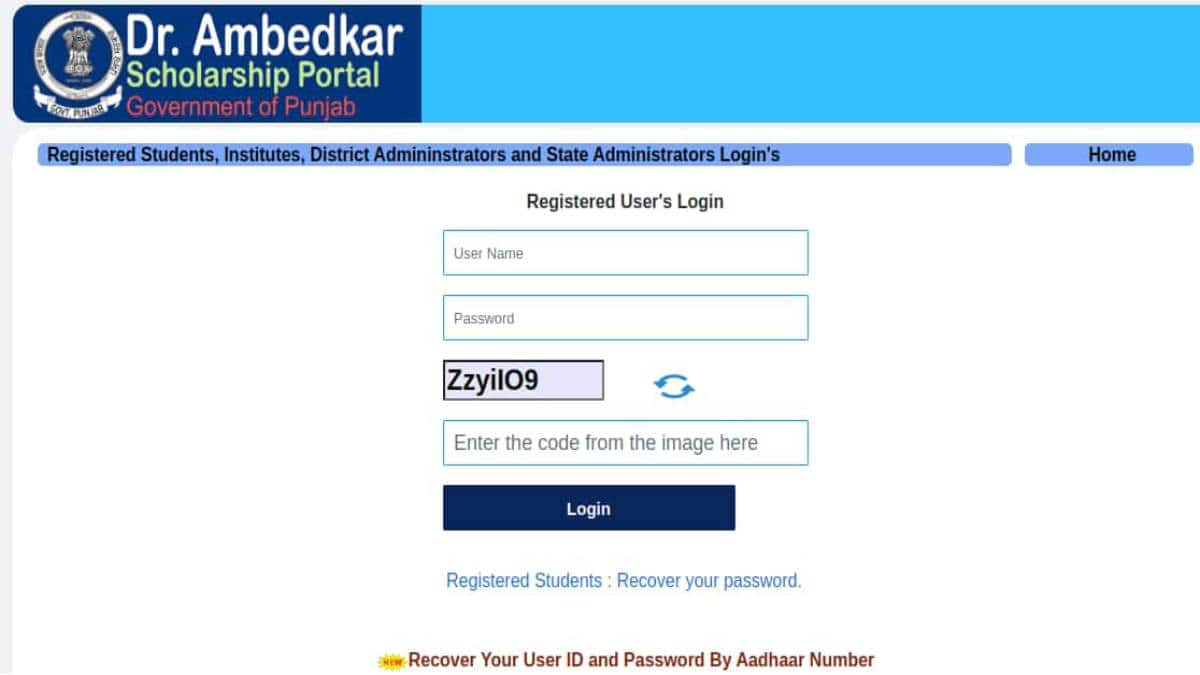
The Pre and Post-Matric Punjab scholarship 2026 is for SC, OBC and other minority students. After submitting the Punjab scholarship application for 2026-27, students can check the status online through the official website. We have provided a step-by-step guide for them to follow and check the 2026-27 Punjab scholarship status.
Law Admissions 2026 Open | Avail Merit-Based Scholarships
BBA/MBA/PGDM Early Bird Applications Deadline 06th Nov'26. Apply now using coupon code CAREER250 and get ₹250 off the application fee
Step 1: Visit the official website, scholarships.punjab.gov.in.
Step 2: Log in by entering the required credentials, such as user ID and password.
Step 3: After that, click on “Edit-Lock-Print Application”.
Step 4: Select “Track Status”.
Step 5: On the next page, the current/latest Status Punjab scholarship application will appear.
If students forget their application ID or password, they can follow the steps given below to retrieve it.
Visit the official website, scholarships.punjab.gov.in.
Registered students need to click on the “Log-in” tab given in the student corner.
After that, click on “Registered Students: Recover Your Password”.
Fill in the required details, such as the student’s name, DOB, mobile number and email ID as mentioned earlier while filling up the application form.
Submit the details to retrieve the application ID and password.
The application will regenerate the password, and students will receive it through their registered mobile number.
Also, read
Frequently Asked Questions (FAQs)
Students who have applied for a scholarship can check the Punjab scholarship status online through the official website, scholarships.punjab.gov.in.
Yes, registered students can apply for the renewal of the Punjab scholarship.
Registered students will have to enter their user ID and password in the login window.

Law Admissions 2026 Open | Avail Merit-Based Scholarships
BBA/MBA/PGDM Early Bird Applications Deadline 06th Nov'26. Apply now using coupon code CAREER250 and get ₹250 off the application fee
Ranked #36 amongst institutions in Management by NIRF | 100% Placement
Globally Recognized by AACSB (US) & AMBA (UK) | 18 LPA Avg. CTC for PGPM 2026
NEET PG All India & State College Predictor with Admission Process Guide
Top B-School: Ranked #9 in NIRF Management Rankings 2025.