


CBSE Board Result 2025 via Umang App for Class 10 and 12
Central Board of Secondary Education (CBSE) will announce the CBSE Class 10 and 12 UMANG results 2025 in the second week of May 2025. In addition to the official CBSE website, students can check their Class 10 and 12 results through the UMANG app. They must enter their mobile and MPIN numbers to log in with their CBSE result window. Once the CBSE results are announced, students can also check CBSE results via DigiLocker, SMS, and the official website along with the UMANG app.
This Story also Contains
- CBSE Board Result 2025 via Umang App for Class 10 and 12
- How to Create a UMANG Account to Check CBSE Results 2025?
- How to Check CBSE Result 2025 via UMANG App?
- What is UMANG?
The CBSE 10th exams will be held from February 15 to March 18, 2025, and CBSE 12th Board exams 2025 will be conducted from February 15 to April 4, 2024. The CBSE results of these exams via the Unified Mobile Application for New-Age Governance (Umang app) are expected to be released in May 2025.
CBSE Board Result 2025 via Umang App for Class 10 and 12
This user-friendly mobile application, developed by the Ministry of Electronics & IT, is accessible on both Android and iOS platforms. By using the UMANG app, students can easily access their CBSE results and other important information.
CBSE Board Result 2025 via Umang App Dates
Event | Dates |
|---|---|
February 15 to March 2025 | |
February 15 to April 2025 | |
CBSE result via umang app date 2025 Class 10 | May 2025 |
CBSE result Class 12 via umang app date 2025 | May 2025 |
CBSE 10th revaluation result date | June 2025 |
CBSE 12th revaluation result date | June 2025 |
August 2025 | |
August 2025 |
How to Create a UMANG Account to Check CBSE Results 2025?
Once students have downloaded the UMANG app from the Google Play Store or Apple App Store, they will need to register an account. To do so, open the app, tap "Register," and provide their mobile number and Aadhaar details. They will then need to create a 4-digit MPIN and set a username and password. After completing these steps, students will be able to use their UMANG account to access their CBSE Class 10 and 12 results, as well as other government services.
Confused between CGPA and Percentage?
Get your results instantly with our calculator!
How to Check CBSE Result 2025 via UMANG App?
Once the CBSE announces the 2025 board exam results for Classes 10 and 12, students can easily access their scores through the UMANG app. Students can download the app from the App Store or Google Play, or visit the official website. Check the steps below to check the CBSE result via umang app.
Steps to check CBSE Class 10 Result on Umang App
Access UMANG: Download the UMANG app from the Google Play Store or Apple App Store, or visit the official UMANG website.
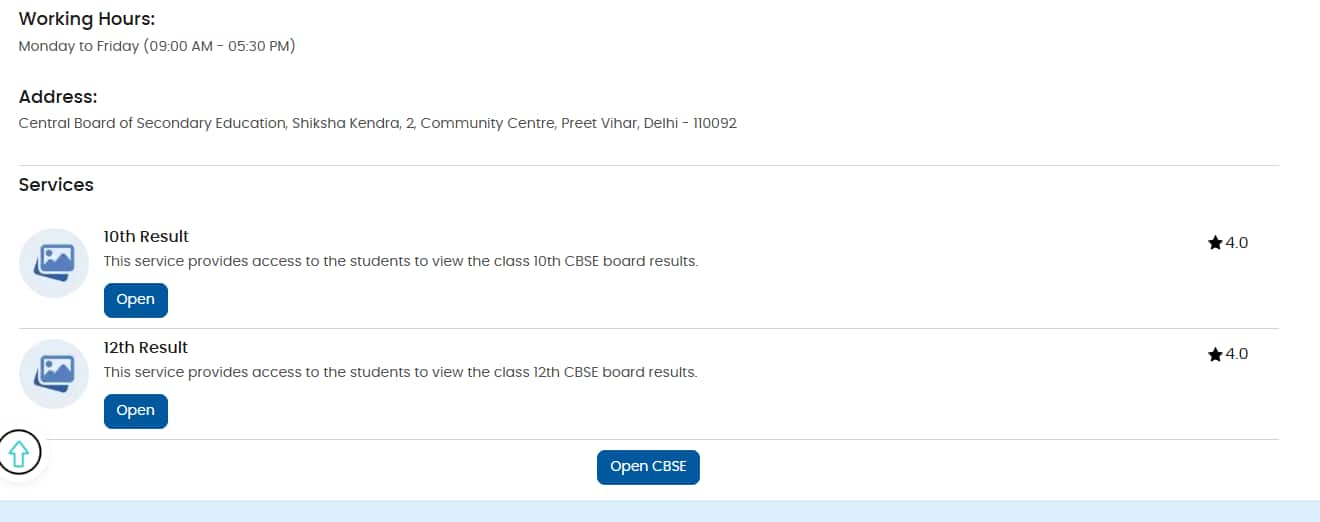
Login: Create an account or log in using the mobile number.
Find CBSE Services: Search for "CBSE" in the app or on the website.
Enter Details: Provide the CBSE 10th admit card details, including roll number and date of birth.
View and Download: CBSE Class 10 results will be displayed on the screen once verified. Students can download the CBSE 10 marksheet for future reference.
Steps to check CBSE Class 12 Result on Umang App
Install the UMANG App: Download the UMANG app from the Google Play Store or Apple App Store.
Register or Login: Register or log in to the Umang app using a mobile number.
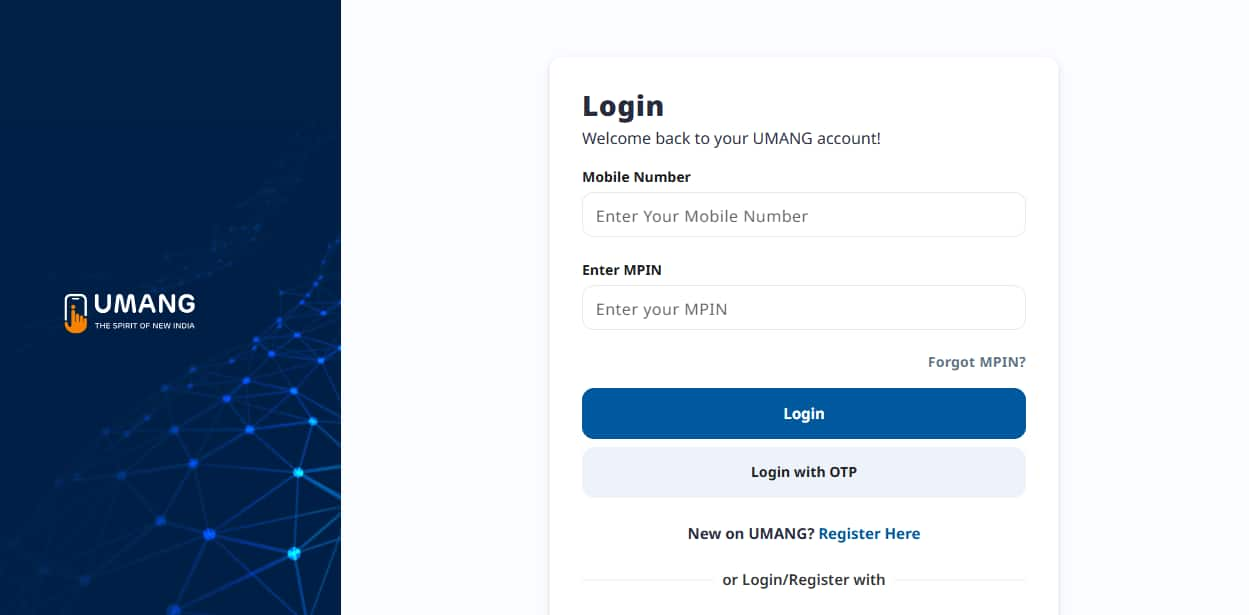
Search for CBSE: Use the search bar to find the CBSE services.
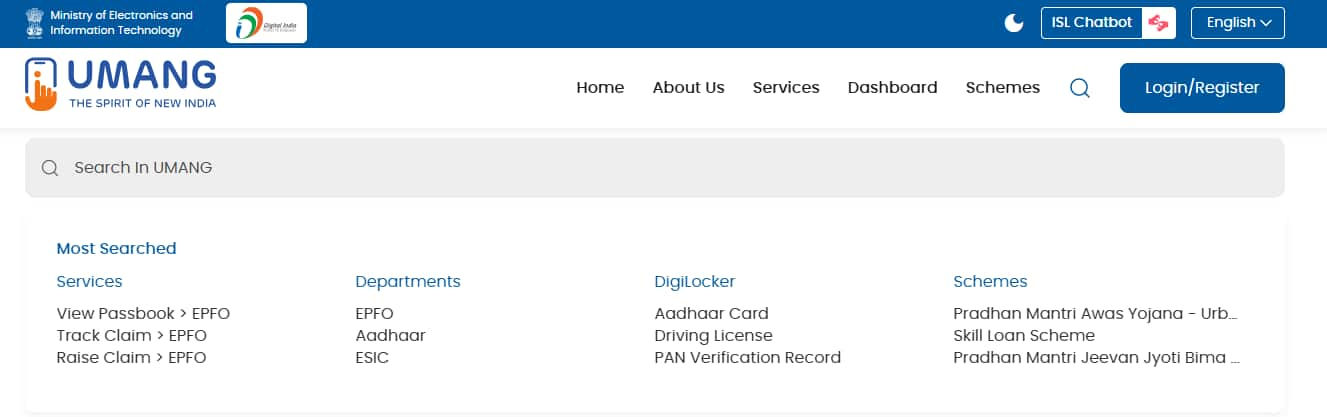
Select the Class: Choose ‘CBSE Class 12 results’ to check the result.
Enter Details: Provide the roll number, date of birth, and other required information.
View CBSE Result: Students' CBSE 12 results will be displayed on the screen. They can also download their CBSE 12th marksheet for future reference.
What is UMANG?
Developed by the Ministry of Electronics & IT, UMANG (Unified Mobile Application for New-Age Governance) is a one-stop shop for accessing various government services, including the CBSE Class 10, 12 results. Students can download the UMANG app for free on Google Play Store (Android), App Store (iOS). While UMANG offers an easy option, they can also check their CBSE 10th, 12th results on the official CBSE website (www.umang.gov.in).
Benefits of Using UMANG:
Convenience: View CBSE 10th, 12th results anytime, anywhere on the smartphone.
Accessibility: The Umang app is available on multiple platforms and works on various devices.
Multipurpose: Students can access the Class 10, 12 results using the UMANG app They can also access other government services as well.
Digilocker Integration: Access CBSE marksheets and other digital academic documents stored in Digilocker directly through UMANG.
Frequently Asked Questions (FAQs)
Students will need their an admit card to access their CBSE Class 12 results online. If they have lost their admit card, they should contact their school authorities to obtain a duplicate copy. Also, students can inquire about their CBSE 10, 12 results directly from their school.
After the CBSE result is released, students can check it on different platforms such as the official website, digiLocker, Umang app, and SMS. Students can choose the option which is best suited for them.
CBSE is expected to release the Class 12 results for 2025 in May 2025. Once the CBSE results are out, students can access their scores using their roll number and admit card number

Questions related to CBSE Class 12th
On Question asked by student community
Hello Student,
Check the useful resources given below:
https://school.careers360.com/articles/most-repeated-questions-in-physics-class-12-cbse
https://school.careers360.com/boards/cbse/cbse-12th-exam-pattern
Hope it helps!
Hi Teena,
You can check the Hindi class 12th question paper .
if you need more resources please let us know.
Hi Lalit,
Here you can check the question paper.
https://school.careers360.com/boards/cbse/cbse-class-12-economics-question-paper-2026
if you need any other resources please let us know.
Hi Kanha,
You can download all subjects class 12th question paper from the given link .
https://school.careers360.com/boards/cbse/cbse-class-12-question-paper-2026
if you need any other resources please let us know.
Dear Student,
Please refer to the link provided below for the question papers in Hindi :|
https://school.careers360.com/hi/articles/cbse-previous-year-question-papers-class-12
If you need any other resource, do let us know.